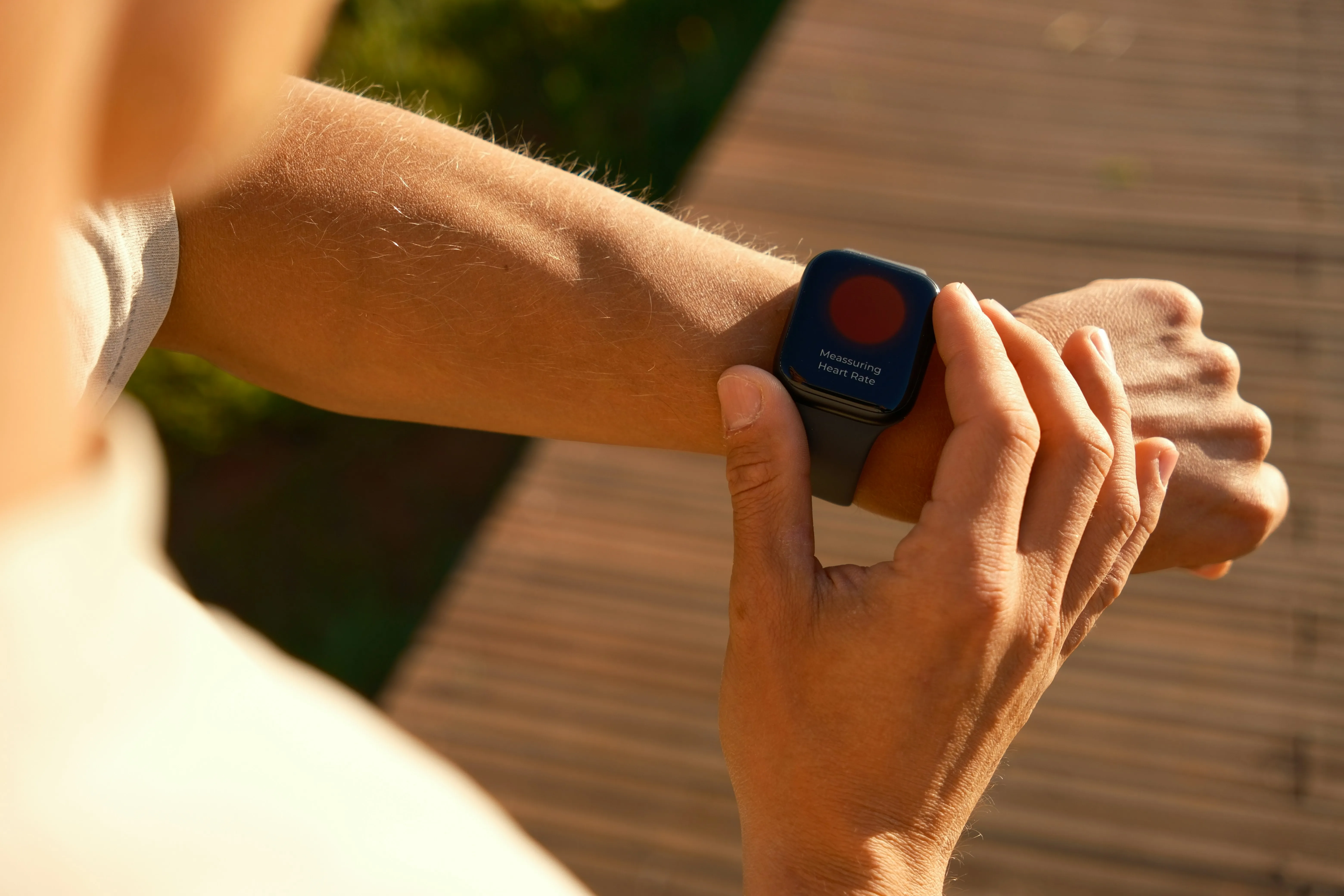
Your Apple Watch records your heart rate thousands of times a day. It tracks your sleep stages, estimates your HRV, measures blood oxygen, and logs every workout. Most people glance at their Activity rings each morning and stop there. That leaves most of the data unused.
The hardware already collects detailed biometrics throughout the day and night. The gap is in knowing what to do with it. This guide breaks down every health metric your watch records, explains the sports science behind each one, and shows you how to turn raw numbers into training decisions.
What health metrics does Apple Watch measure?
Your Apple Watch is a 24/7 biometric sensor on your wrist. Here is every metric it captures and when:
During workouts:
- Real-time heart rate and heart rate zones, five zones that are auto-calculated or manually set
- Active and resting calories burned
- Route and elevation data via GPS
- Pace, cadence, and distance
- Swimming metrics including lap count, stroke type, and SWOLF score
- Effort rating on a 1 to 10 scale, auto-estimated for cardio workouts
Overnight and at rest:
- Sleeping heart rate
- Heart rate variability, measured as SDNN
- Respiratory rate
- Blood oxygen saturation, also called SpO2
- Wrist temperature
- Sleep stage breakdown: core, deep, and REM
Throughout the day:
- Steps and walking distance
- Stand hours
- Exercise minutes
- Walking steadiness
- Cardio fitness, an estimate of your VO2 max
A 2025 meta-analysis published in npj Digital Medicine evaluated 82 studies with over 430,000 participants. The Apple Watch measures heart rate with a mean absolute percent error of just 4.43%, and step counts with 8.17% error. Calorie tracking is less reliable at 27.96% error, so treat that number as a rough guide.
How does Apple Watch training load work?
Training load is one of the most useful fitness features introduced in watchOS 11. It compares the intensity and duration of your workouts over the last 7 days against your average over the previous 28 days. The result is classified on a five-point scale: well below, below, steady, above, or well above.
Apple Watch generates an effort rating from 1 to 10 after each workout. For cardio workouts like running or cycling, this estimate is calculated automatically using heart rate, elevation, pace, and your biometric profile. For strength training or other non-cardio workouts, you rate the effort yourself.
This 7-day vs. 28-day comparison is rooted in the acute-to-chronic workload ratio, a concept from sports science used by professional teams for over a decade. A systematic review of 22 studies found that keeping this ratio between 0.8 and 1.3 minimizes injury risk. Ratios above 1.5 increase it significantly. Ratios below 0.8 indicate detraining, which also raises injury probability.
You need at least 28 days of workout data before training load becomes meaningful. Be patient with the initial baseline period.
For a deeper look at the science, see our full guide on training load.
How do heart rate zones work on Apple Watch?
Apple Watch divides exercise intensity into five heart rate zones. Each zone represents a percentage of your maximum heart rate. The zones are automatically calculated based on your age, entered via the Health app, and they adapt over time as the watch collects more data.
| Zone | Intensity | % of max HR | What it trains |
|---|---|---|---|
| 1 | Very light | Below 60% | Warm-up, active recovery |
| 2 | Light | 60 to 70% | Fat burning, base endurance |
| 3 | Moderate | 70 to 80% | Aerobic fitness |
| 4 | Hard | 80 to 90% | Lactate threshold, speed |
| 5 | Maximum | 90 to 100% | VO2 max, peak power |
Turn the Digital Crown during a workout to switch to the Heart Rate Zone view. It shows your current zone, heart rate, time spent in the zone, and your average heart rate.
You can customize your zones manually in Settings, then Workout, then Heart Rate Zones on your Apple Watch. This is useful if you know your actual lactate threshold or prefer to train by heart rate reserve rather than max HR percentage.
Zone data becomes especially powerful when paired with training load calculations. The time you spend in each zone, multiplied by zone-specific weighting factors, determines the physiological stress of each session. This is the basis of TRIMP, or Training Impulse. Exercise physiologist Eric Banister developed it in the 1970s, and it remains foundational in sports science today.
What does Apple Watch sleep tracking tell you?
Apple Watch breaks your sleep into three stages:
- Core sleep covers stages N1 and N2. This is light sleep that makes up the majority of your night. Your body transitions through this stage between deeper phases.
- Deep sleep is stage N3, the most physically restorative phase. Your body repairs muscle tissue and strengthens the immune system during deep sleep.
- REM sleep is associated with memory consolidation, learning, and emotional processing. This is when most dreaming occurs.
The average Apple Watch user gets about 49 minutes of deep sleep per night, roughly 13% of total sleep time. REM typically accounts for about 20% of the night. If you are hitting 18% or more deep sleep, you are in the top 10% of sleepers tracked by Apple Watch.
A 2025 peer-reviewed study compared six commercial wearables against clinical polysomnography. The Apple Watch had the highest agreement of all devices tested, with a Cohen’s kappa of 0.53, which counts as moderate agreement. Accuracy was highest for core sleep at 83% and lower for deep sleep at 51%. Apple Watch is better at showing trends over time than giving you precision on any single night.
The Vitals app, introduced in watchOS 11, goes further. It tracks your sleeping heart rate, respiratory rate, wrist temperature, blood oxygen, and sleep duration against a personal 14-day baseline. When two or more metrics fall outside your typical range, you get a notification suggesting possible causes like altitude changes, illness, or alcohol.
Overnight data matters more than daytime numbers for training purposes. Your resting heart rate and HRV during sleep reflect genuine recovery state without the noise of daily activity. A rising resting heart rate or dropping HRV trend over several days is an early warning sign of accumulated fatigue or overtraining.
For more on using sleep data to guide training, see our article on how sleep data shapes your workouts.
Why HRV is the recovery metric hiding in your Apple Watch
Heart rate variability measures the variation in time between consecutive heartbeats. HRV reflects the balance between your sympathetic nervous system, the fight-or-flight side, and your parasympathetic nervous system, the rest-and-digest side. Higher HRV generally indicates better recovery and readiness to train.
Apple Watch measures HRV using the SDNN method, which stands for standard deviation of normal-to-normal intervals. It records HRV primarily during sleep and at random points through the day. The most reliable readings come from overnight measurements, when your body is at rest and the parasympathetic nervous system is most active.
HRV values vary enormously between individuals. A 25-year-old athlete might see 80 ms. A healthy 50-year-old might average 30 ms. The absolute number matters less than your personal trend. A sustained drop of 10 to 15% below your baseline over several days suggests your body has not fully recovered.
Apple Health shows your HRV data as a simple number and trend line. Third-party apps can transform this data into a readiness score that synthesizes HRV with resting heart rate, sleep quality, respiratory rate, and other overnight biometrics. The result is a single daily recovery metric, similar to what Whoop and Garmin offer natively.
What swimming metrics does Apple Watch track?
Apple Watch is one of the most capable pool swim trackers available. Water Lock mode activates automatically during swim workouts, and the accelerometer and gyroscope track every stroke.
Here are the key swimming metrics your watch provides:
- SWOLF score is calculated by adding your time per length in seconds to your stroke count for that length. A SWOLF of 44 means you swam a 25-meter length in 30 seconds with 14 strokes. Lower is better. Scores between 35 and 45 indicate good technique for a recreational swimmer.
- Stroke count and stroke rate include total strokes per session, average strokes per length, and strokes per minute.
- Stroke type detection uses machine learning to identify freestyle, breaststroke, backstroke, and butterfly. Accuracy is solid for freestyle and breaststroke but can be unreliable for butterfly and mixed sets.
- Lap detection tracks turns automatically with 95 to 98% accuracy in standard pool lengths of 25m or 50m.
Lap counting and distance are very accurate. Stroke type detection is the weakest link. If you swim primarily freestyle, the watch will generally get it right. Mixed strokes within sets will sometimes be misidentified.
How does breathing affect HRV and recovery?
Breathing exercises are not just for stress relief. Research shows that structured breathing directly improves HRV and accelerates post-exercise recovery.
A randomized controlled trial found that practicing resonance breathing at approximately 6 breaths per minute for 20 minutes daily over four weeks significantly improved HRV parameters including SDNN and pNN50. A separate Stanford study found that cyclic sighing, a pattern with extended exhales, produced greater mood improvement and reduced physiological arousal compared to mindfulness meditation.
For post-workout recovery specifically, a 2025 crossover study compared box breathing with the 4-4-4-4 pattern against 6 breaths-per-minute breathing after HIIT sessions. The 6 breaths-per-minute protocol produced significantly lower post-exercise heart rates and perceived exertion. Box breathing actually increased perceived effort compared to spontaneous breathing.
Box breathing still works well for focus and stress management outside of exercise. But for recovery, techniques with longer exhale phases are more effective. The 4-7-8 method, cyclic sighing, and diaphragmatic breathing are all good options.
How does Apple Watch compare to Whoop and Garmin?
The biggest criticism of Apple Watch for serious athletes has always been that it shows data without telling you what to do with it. Apple Health gives you charts and numbers. Whoop gives you a recovery score and strain target. Garmin gives you Training Status and Body Battery.
The watchOS 11 training load feature closed part of that gap. The 7-day vs. 28-day load comparison works similarly to what Garmin and Whoop have offered for years. Apple’s version is still simpler though. There is no native readiness score, no built-in TRIMP calculation, and no automatic training guidance based on recovery status.
Apple Watch holds an advantage in the ecosystem. Because it reads all of Apple Health’s data, third-party apps can combine heart rate zones, HRV, sleep stages, respiratory rate, SpO2, and wrist temperature into a single recovery picture. Apps like Wildgrow, Athlytic, and Training Today add the readiness scores and training guidance that Apple’s native software does not provide.
The hardware comparison is less dramatic than most review sites suggest. A meta-analysis in npj Digital Medicine found that Apple Watch heart rate accuracy at 4.43% error is competitive with dedicated fitness wearables, and newer models show gradual improvement. Whoop’s advantage is 24/7 continuous heart rate sampling at 100 Hz, which produces smoother HRV data. Garmin’s advantage is deeper native training analytics and multi-week battery life.
For most people, the Apple Watch they already own, paired with the right third-party app, can deliver fitness insights comparable to a Whoop membership or a Garmin Forerunner.
Eight ways to get the most from your Apple Watch fitness data
Here are the practical steps to unlock the full value of your Apple Watch data:
-
Calibrate your watch. Walk briskly outdoors for at least 20 minutes with GPS enabled. This improves pace, distance, and calorie accuracy for future workouts.
-
Enter your date of birth in the Health app. Heart rate zones are not calculated without it.
-
Wear your watch to bed. Overnight biometrics like sleeping heart rate, HRV, respiratory rate, and wrist temperature are the most valuable data your watch collects. Without sleep data, you are missing the recovery half of the picture.
-
Rate your effort after every workout. Training load depends on effort ratings. For cardio, the auto-estimate is usually close, but adjust it if the session felt harder or easier than the algorithm suggests.
-
Give it 28 days. Training load needs a full month of workout data to build a baseline. Do not draw conclusions from the first few weeks.
-
Track trends, not single days. One bad night of sleep or one high HRV reading means little. Look at 7-day and 14-day trends for meaningful signals.
-
Add a recovery-focused app. Apple’s native software shows you data. A third-party app can synthesize it into readiness scores and data-driven training guidance.
-
Use breathing exercises for recovery. Even 5 minutes of slow breathing at 6 breaths per minute after a workout can measurably improve your HRV recovery.
Turn your Apple Watch data into real insights
Wildgrow reads your Apple Watch health data and gives you a readiness score, TRIMP-based training load, breathing exercises, and an AI coach. Free on the App Store.
Get Early AccessFrequently asked questions
How accurate is Apple Watch for fitness tracking?
A meta-analysis of 82 studies found Apple Watch heart rate accuracy has a mean error of 4.43% and step counting at 8.17%. Calorie estimates are less reliable at 27.96% error. Heart rate and step data are trustworthy for training decisions. Calorie numbers should be treated as estimates.
What is training load on Apple Watch?
Training load compares the intensity and duration of your workouts over the last 7 days to your 28-day average. It classifies your current load from “well below” to “well above” so you can see whether you are building fitness, maintaining, or overdoing it. You need 28 days of workout data before it activates.
How do heart rate zones work on Apple Watch?
Apple Watch automatically calculates five heart rate zones based on your maximum heart rate, which it estimates from your age. Zones range from Zone 1, below 60% max HR for recovery, to Zone 5, 90 to 100% max HR for peak effort. You can manually customize the zone boundaries in Settings.
What is HRV and why does my Apple Watch track it?
Heart rate variability measures the time variation between heartbeats. Higher HRV generally means better recovery and lower stress. Apple Watch tracks it overnight using the SDNN method. The trend over days and weeks is more meaningful than any single reading.
Can Apple Watch track swimming metrics like SWOLF?
Yes. During pool swim workouts, Apple Watch tracks lap count, distance, stroke count, stroke type, and SWOLF score. SWOLF is your time per length plus strokes per length. Lower scores indicate more efficient technique. Lap counting accuracy runs 95 to 98% in standard pools.
Can Apple Watch replace Whoop or Garmin for serious training?
The hardware is comparable. Apple Watch heart rate accuracy is on par with dedicated fitness wearables. What Apple’s native software lacks is readiness scoring, automatic training guidance, and built-in TRIMP. Third-party apps fill this gap by reading Apple Health data and adding sports science algorithms.
How does breathing affect recovery and HRV?
Slow, controlled breathing at around 6 breaths per minute activates the parasympathetic nervous system and measurably improves HRV. Research shows this works even better than mindfulness meditation for recovery. Techniques with extended exhale phases are most effective.
How accurate is Apple Watch sleep tracking?
An independent 2025 study found Apple Watch had the highest sleep tracking agreement of six wearables tested, with a Cohen’s kappa of 0.53. Accuracy is highest for core sleep at 83% and lower for deep sleep at 51%. It is reliable for tracking trends over time but not precise enough to replace clinical sleep studies.
Sources
- The accuracy of Apple Watch measurements: a systematic review and meta-analysis, npj Digital Medicine
- The accuracy of Apple Watch measurements, PMC
- Acute to chronic workload ratio for predicting sports injury risk, PMC
- Effect of resonance breathing on HRV and cognitive functions, PMC
- Brief structured respiration practices enhance mood, PubMed
- Box breathing vs six breaths per minute for post-HIIT recovery, PMC
- Study examines how well wearable tech tracks fitness metrics, University of Mississippi
- watchOS 11 brings powerful health and fitness insights, Apple Newsroom
- Track your training load on Apple Watch, Apple Support
- View heart rate zones on Apple Watch, Apple Support
- Track your sleep with Apple Watch, Apple Support
- Average Apple Watch deep sleep data, Empirical Health
- Swimming metrics explained: SWOLF, strokes, and more, Wareable
- TRIMP: a science-backed way to measure training load, Ludum
- Acute-to-chronic workload ratio, Science for Sport